Today, at a glance
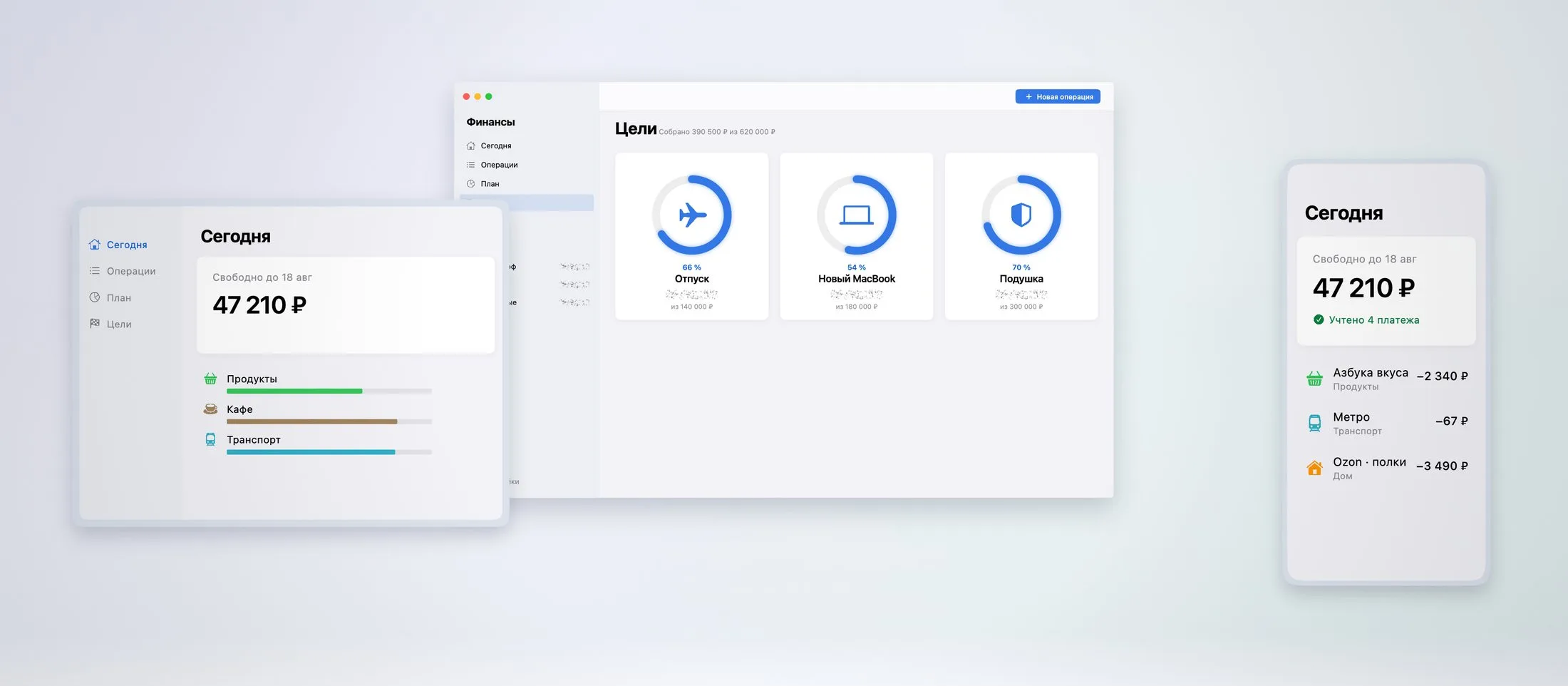
See your available amount, upcoming payments and a daily spending guide. Open the calculation to see what is included.
 Finances · ecomvision
Personal finance · iPhone & iPad
Not just what you spent. See what is left after planned payments and your reserve, and understand how the number was calculated.
Core features are free. Optional paid analytics and assistant.
A native Mac update is being prepared; it is not yet released.
Less guesswork. More clarity.
See your available amount, upcoming payments and a daily spending guide. Open the calculation to see what is included.
Record expenses and income, choose categories, add notes and tags, and find entries when you need them.
Keep recurring payments, spending limits and savings goals together. A forecast is a guide based on your entries, not a bank balance guarantee.
Your personal records stay on your device. There are no advertising trackers or bank login requests. Keep your own backup with data export.
Read the privacy policyShare a separate budget through iCloud. Invited members can view and edit its accounts, transactions, plans and goals.
Creating a family budget requires the Assistant tier or an eligible trial. iCloud must be available, with storage available for the owner's shared data.
Finances Pro
Explore spending trends with Analytics, or add the on-device Assistant to ask about your records and prepare actions for you to review.
The assistant uses built-in logic, not a cloud chatbot. It is not financial advice. Natural-language input is currently designed for Russian and English.